Where to order a photo book online: services for Russia compared
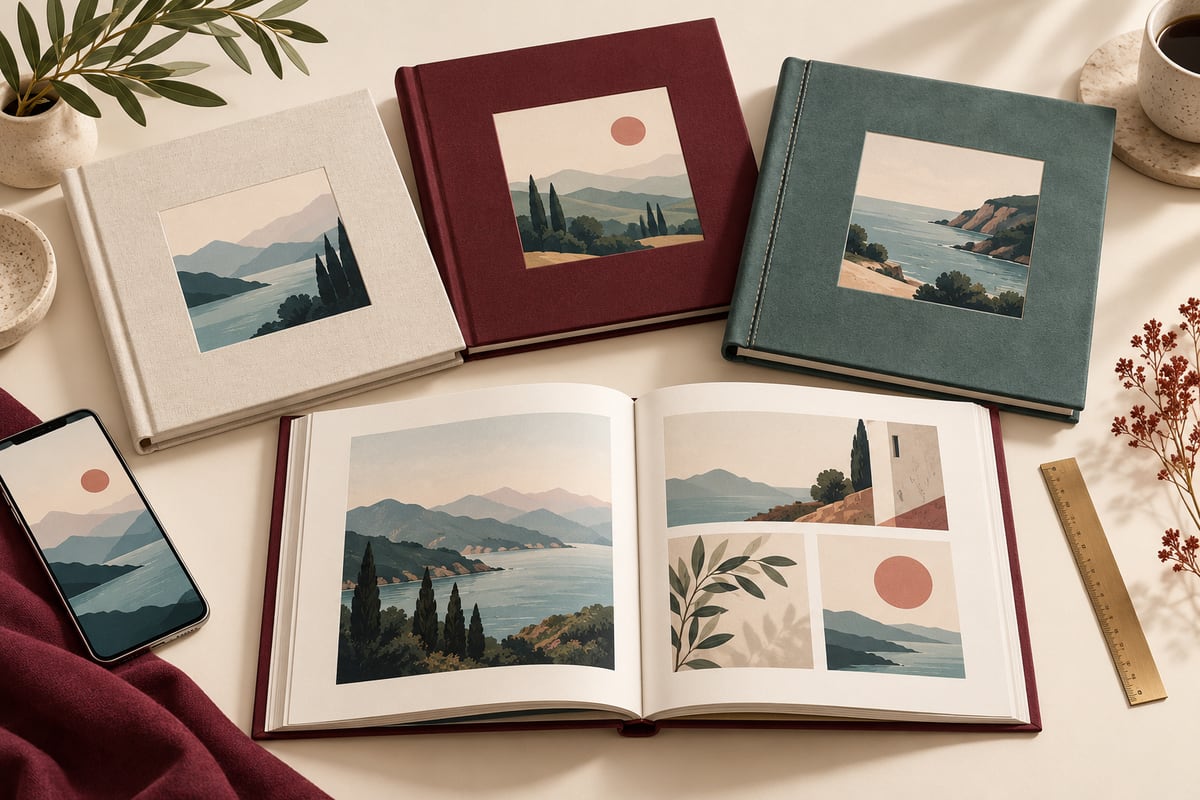
To order a photo book online for delivery in Russia, compare the editor, the layout creation workflow and the full cost of the finished book. MMMphoto suits people who want to upload pictures, quickly receive an attractive automatic layout and make their own adjustments. Consider other services when you need additional sizes, cover materials or binding options.
This guide concerns orders delivered within Russia. The United States and other countries require separate comparisons because products, suppliers, prices and shipping differ.
In this guide: service comparison, why consider MMMphoto, ordering steps, price calculation, a gift ordered from abroad and common questions.
Online photo book services for Russia compared
The table helps you choose a suitable creation workflow. Consider binding, size and configuration alongside the starting price. This comparison is published by MMMphoto, and our own product appears alongside alternatives.
| Service | What to consider | What to check |
|---|---|---|
| MMMphoto | Fast automatic assembly, attractive layouts and manual editing | One main 20 × 20 cm format, 20–60 pages; suited to a compact family story |
| Periodica | Different book and material options, website creation, an iOS app and designer assistance | Size and minimum page count depend on the specific product |
| netPrint | Multiple sizes, Standard and Premium ranges, an editor and autofill | A Standard book and a Premium book opening to 180° are different configurations |
| Couture Book | Cover materials, collections and presentation for a keepsake edition | Confirm binding, selected size and current production timing |
| Multifoto | Standard, Premium and Royal ranges with different page constructions | Catalogue starting prices vary by range; confirm size, page count and delivery |
At the time of preparation, the MomentBook website displayed a notice that printing was temporarily paused during relocation. Check whether orders have resumed before choosing it.
MMMphoto: move quickly from uploaded photos to a book layout
The editor lets you adjust the layout, cropping, captions and cover to suit your story. The editor is designed around clear actions with photographs, helping even first-time users produce a carefully arranged book.
Our main advantages are fast creation and convenient editing. An automatically assembled starting point lets you spend your time on the details that matter to you. A first layout can be created in minutes; the actual time depends on the number of pictures, upload speed and revisions. This describes designing the layout, not printing or delivery.
- Automatic assembly provides a starting point without placing every image from scratch.
- Different layouts help turn a collection of pictures into a family story.
- Manual controls let you refine the result rather than accept an unchangeable design.
- The 20 × 20 cm format, hardcover and 180° opening suit sharing a book together.
Consider MMMphoto for a baby's first year, a family yearbook or a gift for relatives. If you need a different size, substantially more than 60 pages or a particular cover material, compare those specific products from other suppliers.
How to create a photo book online: four steps with MMMphoto
An online photo book builder takes you from pictures to a layout without arranging every page manually. Automatic assembly gives you a starting point to review and refine in the editor.
- Upload your photographs. Choose pictures for one story, such as a family year, a trip or a baby's first year.
- Receive an automatic layout. Browse the spreads and consider the sequence of the story.
- Refine the book in the editor. Adjust layouts, crops, captions and the cover. Before printing, check faces near image edges, text and page order.
- Place your order. Enter the recipient and delivery details, then check the total and payment conditions.
For your first book, choose one theme, such as a family year or a trip.
How much does a photo book cost including delivery?
Start with matching specifications: size, cover, binding and page count. A spread contains two pages, so 20 pages and 20 spreads are different quantities. A catalogue's starting price may not refer to the configuration you have in mind.
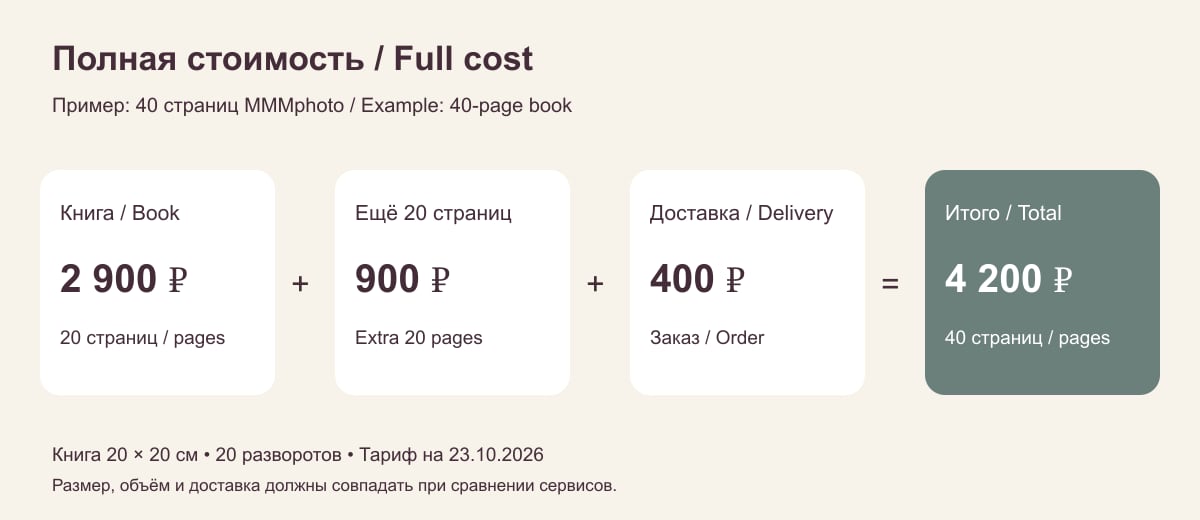
MMMphoto's published Russian tariff starts at 2,900 RUB for 10 spreads, with 90 RUB for each additional spread. The published delivery tariff is 400 RUB per order. These examples are calculated for one copy without additional services.
| Size of book | Book price | Including 400 RUB delivery |
|---|---|---|
| 20 pages / 10 spreads | 2,900 RUB | 3,300 RUB |
| 40 pages / 20 spreads | 3,800 RUB | 4,200 RUB |
| 60 pages / 30 spreads | 4,700 RUB | 5,100 RUB |
For other services, price the same configuration in their calculators. Promotions, destination, carrier and extra pages can change the total. We do not name a cheapest provider because that would require identical baskets across services. Use the final amount and conditions of your own order before paying.
Order abroad and send a photo book to relatives in Russia
For a gift, the last step is getting the book to its recipient. With MMMphoto, you can place an order from abroad, pay with a foreign-issued card and arrange delivery to a relative in Russia. For example, you can assemble family memories while living in the United States and send the book to a grandmother in Russia.
Prepare the recipient's name, address and telephone number before ordering. Check the available delivery method, total, payment currency and estimated arrival. For a time-sensitive gift, allow separately for design, production and shipping.
Questions before ordering
Where should I order my first photo book?
Look for a service that provides a starting layout and lets you adjust it yourself. MMMphoto combines automatic assembly with an editor for refining layouts, crops and text. If a particular book size or cover material matters most, compare the corresponding products in the table above.
Where can I quickly create a photo book from phone pictures?
MMMphoto lets you begin with uploaded photographs and an automatically assembled layout, then review and adjust it. The ability to refine the result matters as much as the presence of an automatic assembly feature.
Does automatic assembly replace checking the book before printing?
Browse every spread before ordering. Check important details near image edges, captions and the sequence of events. The final layout should reflect your own choices.
What is different about layflat binding?
Layflat lets the book open to 180°, which is useful for wide photographs and viewing an entire spread. Binding terminology alone does not establish print quality; consider materials and construction separately.
Can I pay for a gift from outside Russia?
Yes. For the scenario described here, MMMphoto supports a foreign-issued card with delivery to a recipient in Russia. Available conditions and the final amount are shown during ordering.
About this comparison
Prepared by MMMphoto Editorial using published service features and conditions for Russia. Text updated 25 October 2026; the tariff check date is stated separately in the price calculation.
Start with your own photographs: create a MMMphoto book for Russia, browse the automatic layout and refine it before ordering. See MMMphoto specifications and ordering conditions when choosing your book.